
The UAE Midday Break Has Ended: How to Reset Shift Schedules Without Breaking Payroll
The UAE midday break ended on 15 September. Reset outdoor team shifts, fix overtime rules and keep payroll accurate across every site with Synktime.
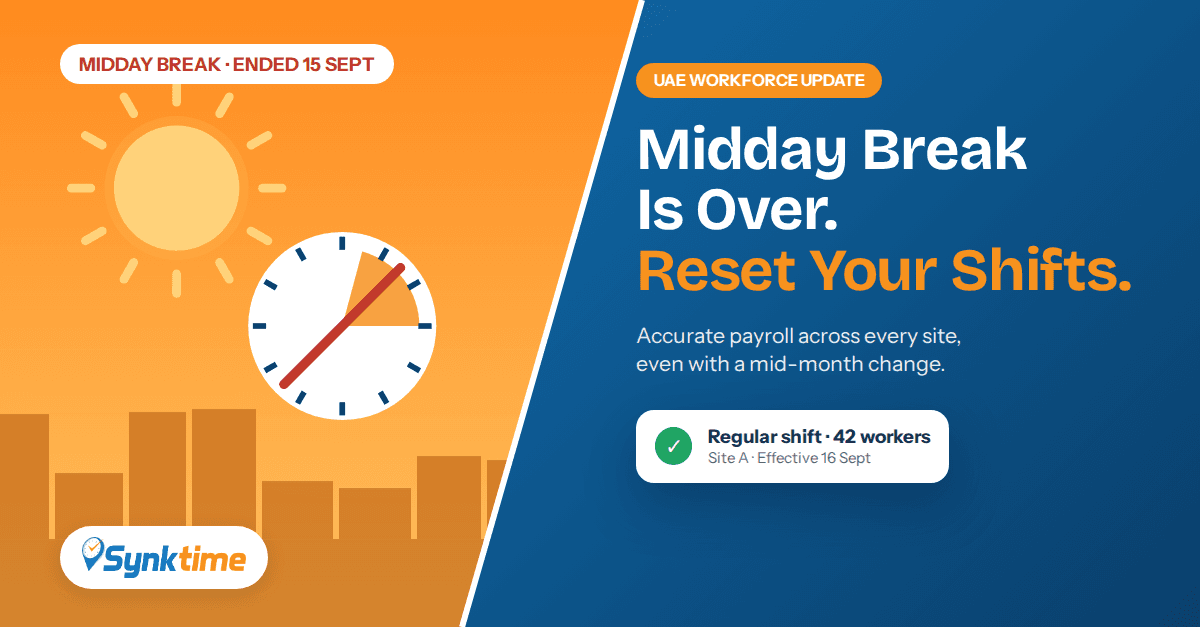
For three months, outdoor teams across the UAE worked around a mandatory stop between 12:30pm and 3:00pm. On 15 September 2026, MoHRE's Occupational Heat Stress Prevention Policy ended for its 22nd year, and construction, facilities management, logistics and manpower companies are now moving crews back to regular working hours.
That switch sounds simple, but it is one of the most common causes of payroll errors in September. Summer split shifts stay active in the attendance system, normal punches get flagged as late or early leaving, and overtime is calculated on the wrong baseline.
This guide explains what changes now that the UAE midday break has ended, where attendance data usually goes wrong, and how to reset shift schedules in one afternoon instead of fixing errors at month-end.
What Changed When the UAE Midday Break Ended
During the summer, employers had to stop outdoor work in direct sunlight between 12:30pm and 3:00pm every day, including weekends and public holidays. Most companies handled this with a split shift: a morning block, the enforced break, then an evening block.
From 16 September, that restriction no longer applies. Companies can return to:
Standard continuous day shifts, for example 7:00am to 4:00pm with a normal lunch break
Their pre-summer rotation for night and rotating crews
Normal overtime thresholds based on the regular shift length
The working-hour limits under UAE Labour Law still apply. Only the summer heat-stress restriction has ended. For the full rules, see our UAE Labour Law attendance compliance guide and the official MoHRE Midday Break guidance.
5 Attendance Problems After the Summer Shift Change
1. Summer shift templates stay assigned
If the split-shift template is still attached to employees, a worker who punches in at 7:00am and out at 4:00pm without a mid-day gap may show missing punches or time worked during a "break".
2. False late-coming and early-leaving flags
A crew that now starts at 7:00am may still be assigned a summer start time of 6:00am. Every punch is flagged as late, and supervisors end up approving exceptions by hand. Read more about late coming, early leaving and overtime tracking in the UAE.
3. Overtime calculated on the wrong baseline
Overtime depends on the scheduled shift length. If the summer template defines different hours, overtime can be overpaid or underpaid for the whole month. Accurate overtime management depends on the correct shift being active each day.
4. A mid-month changeover splits the payroll period
The change happened on 15 September, in the middle of most payroll cycles. Half the month follows summer rules and half follows regular rules, which spreadsheets rarely handle cleanly.
5. Branches switch back on different days
Multi-site groups often let each project or branch move back at its own pace. Without a central view, head office cannot tell which sites are still on summer timing. A multi-branch attendance system solves this with one dashboard.
Shift Schedule Reset Checklist for UAE Employers
Use this checklist this week to make the switch cleanly.
StepActionOwner1List every employee group still on a summer split-shift templateHR / Attendance admin2Set an effective date (16 September or the site's actual switch date) for the regular shiftHR3Reassign shifts in bulk by department, site or projectHR / Site supervisors4Check overtime rules so thresholds match the regular shift lengthPayroll5Run a test report for 16 to 18 September and review late, early and overtime flagsPayroll / HR
Tip: Keep the summer template saved but inactive. The midday break returns on 15 June next year, and you can reactivate it in minutes.
How Synktime Handles Seasonal Shift Changes
Synktime is a cloud workforce management system in the UAE built for multi-branch and labour-intensive businesses. Here is how it removes the manual work from a seasonal shift change.
Effective-dated shift schedules
Assign the regular shift with a start date. Punches before 16 September are calculated against the summer split shift, and punches from 16 September follow the regular shift. One payroll period, two rule sets, no manual adjustments.
Auto shift assignment
For crews whose start times vary by site, auto shift assignment matches each punch to the nearest valid shift, so early-starting teams are not wrongly flagged as late.
Bulk updates by site, project or department
Switch an entire project site or labour camp in one action. Each branch can move on its own date, and head office sees every site's status from a single dashboard with real-time reporting.
Works with your existing devices and ERP
Synktime connects to the ZKTeco and other devices you already use through biometric attendance integration, and adds GPS geofencing attendance for field staff. Payroll-ready data flows to your system through ERP and payroll integration.
Industries Most Affected by the Midday Break Changeover
Construction: large outdoor crews across multiple project sites
Manpower and labour supply: workers deployed to client sites with different timings
Facilities management: mixed indoor and outdoor staff on the same contract
Logistics and warehousing: yard, loading and delivery teams working outdoors
Plan Ahead for the 2027 Midday Break
The midday break returns on the same dates every year. A few decisions now will make next summer easier:
Save summer templates with clear names such as "Summer Split Shift – Site Crews".
Tag outdoor employees so seasonal rules apply only to them.
Schedule both switches in advance with effective dates for 15 June and 16 September.
Keep attendance records organised so you can show inspectors when outdoor work stopped during restricted hours.
Frequently Asked Questions
When did the UAE midday break end in 2026?
The 2026 midday break ran from 15 June to 15 September. From 16 September, the 12:30pm to 3:00pm outdoor work restriction no longer applies.
Do we need to change shift timings in our attendance system?
Yes, if you used a summer split shift. If the summer template stays active, regular punches may be flagged as late or early leaving, and overtime may be calculated incorrectly.
How do we handle payroll when shifts changed mid-month?
Use effective-dated schedules. Days up to 15 September are calculated with the summer shift and days from 16 September with the regular shift, within the same payroll period.
Can different sites switch back on different dates?
Yes. In Synktime, each branch, project or department can have its own effective date, and head office sees every site's status on one dashboard.
Do I need new biometric devices to use Synktime?
No. Synktime connects to existing ZKTeco and other supported biometric devices, and adds mobile and geofenced attendance for field staff.
Reset Your Shifts Before Month-End Payroll
The end of the UAE midday break is good news for productivity, but it is also a quiet payroll risk. Reset shift templates, set effective dates, align overtime rules and test your reports this week, before errors reach month-end payroll.
Synktime makes seasonal shift changes a five-minute task across every site. Request a demo or message us on WhatsApp to see it working with your existing devices.